Home NAS Build
I decided to repurpose my old gaming PC as a home NAS. This opens the door to lots of selfhosting projects like a media server and file storage. The B550 board’s six SATA ports make it well-suited for drive expansion, and the 5600G’s low idle power draw keeps it economical to run 24/7.
Hardware
The base system is the existing build:
| Component | Part |
|---|---|
| CPU | AMD Ryzen 5 5600G |
| Motherboard | MSI B550 GAMING GEN3 |
| RAM | G.Skill Ripjaws V 16GB DDR4-3600 |
| GPU | MSI Radeon RX 6800 XT Gaming X Trio 16GB (retained for transcoding) |
| Boot drive | WD Blue SN550 1TB NVMe (OS drive for TrueNAS) |
| Case | Deepcool MACUBE 310 |
| PSU | EVGA 650 BQ |
New additions:
| Component | Part | Price |
|---|---|---|
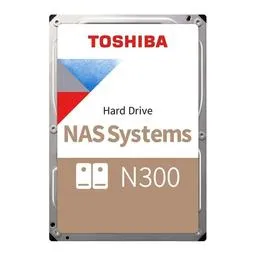
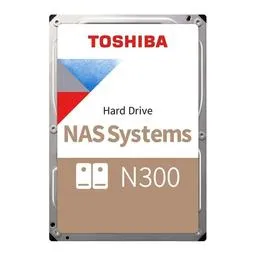
| NAS drive × 2 | Toshiba N300 18TB 7200RPM CMR | $368.99 × 2 (Microcenter) |
Storage Layout
The two 18TB drives will be configured as a mirrored ZFS pool (RAID-1 equivalent) in TrueNAS, giving:
- 18TB usable with full redundancy
- Single drive failure tolerance
- No RAID-Z1 striping risk with only two drives
The WD Blue SN550 (1TB NVMe) serves as the TrueNAS OS/boot drive and ZFS metadata/cache.
RX 6800 XT — Staying for GPU Transcoding
The RX 6800 XT is staying in the system. RDNA 2 has solid VAAPI support on Linux, which TrueNAS SCALE can expose to Docker containers. The primary use case is hardware-accelerated transcoding in Jellyfin, which makes a significant difference for on-the-fly remuxing and format conversion — the 5600G’s integrated graphics would struggle with simultaneous transcodes at 1080p or higher.
Beyond Jellyfin, having a discrete GPU available opens the door to other GPU-accelerated workloads on the NAS if needed down the road.
Tasks
- Purchase NAS drives (2x Toshiba N300 18TB) high
- Keep RX 6800 XT in system for GPU transcoding medium
- Install drives and verify SATA connections high
- Verify all drives spin up and BIOS detects them high
- Confirm GPU output works for initial TrueNAS install medium
- Hand off to TrueNAS Setup project medium
Milestones
- Drives purchased
- Physical build complete — drives installed and detected
- System hands off to TrueNAS Setup