A Book and Quill for Notetaking
I created a Minecraft theme for Obsidian, with a pixel font, a leather-bound book, and XP, so my little sister has a notebook for college that's fun to open.
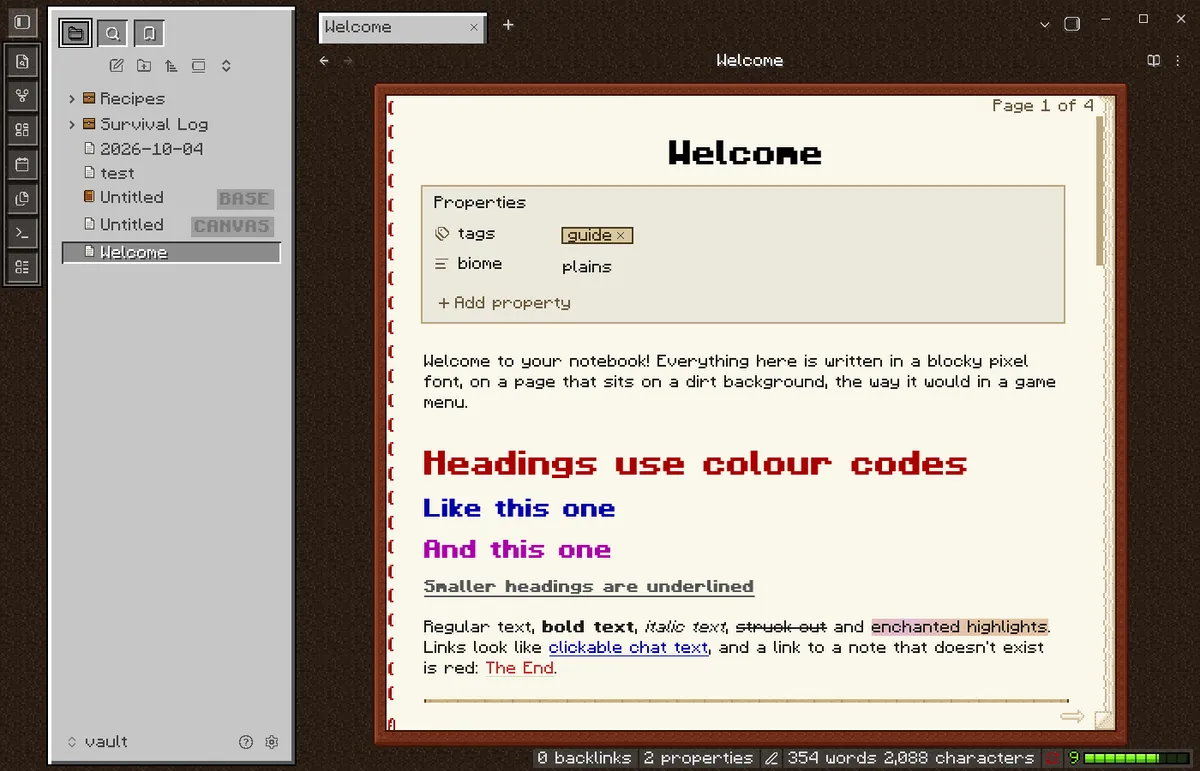
My little sister is at college, and she asked if I could make something to take notes that looked like Minecraft, so I spent today building one. Book and Quill turns Obsidian into a blocky survival game. Your notes are written in a pixel font, on the pages of a leather-bound book, sitting on a dirt background. And every word you write earns XP.
Obsidian was the right base for this. It’s free, it keeps every note as a plain Markdown file on your own device, and almost everything about how it looks and behaves can be changed with themes and plugins. That meant I could change everything about how it feels without touching how her notes are stored. If she ever outgrows the gimmick, her notes are still just text files.
Two pieces: the look and the game
The project comes in two parts that work together but don’t depend on each other.
The theme is purely visual. Each note sits inside a book cover with red binding stitches, stacked page edges, and a dog-eared corner. Light mode has cream pages; dark mode has dark pages with drop-shadowed text. The sidebars are grey inventory panels, and folders are little chests that open when you expand them.
The fun is in the details. Highlights shimmer like an enchantment. Blockquotes become wooden signs, code blocks turn into a black command-block field, tags are name tags, and a horizontal rule is a strip of grass. The command palette pops up from the bottom of the screen like the chat bar.
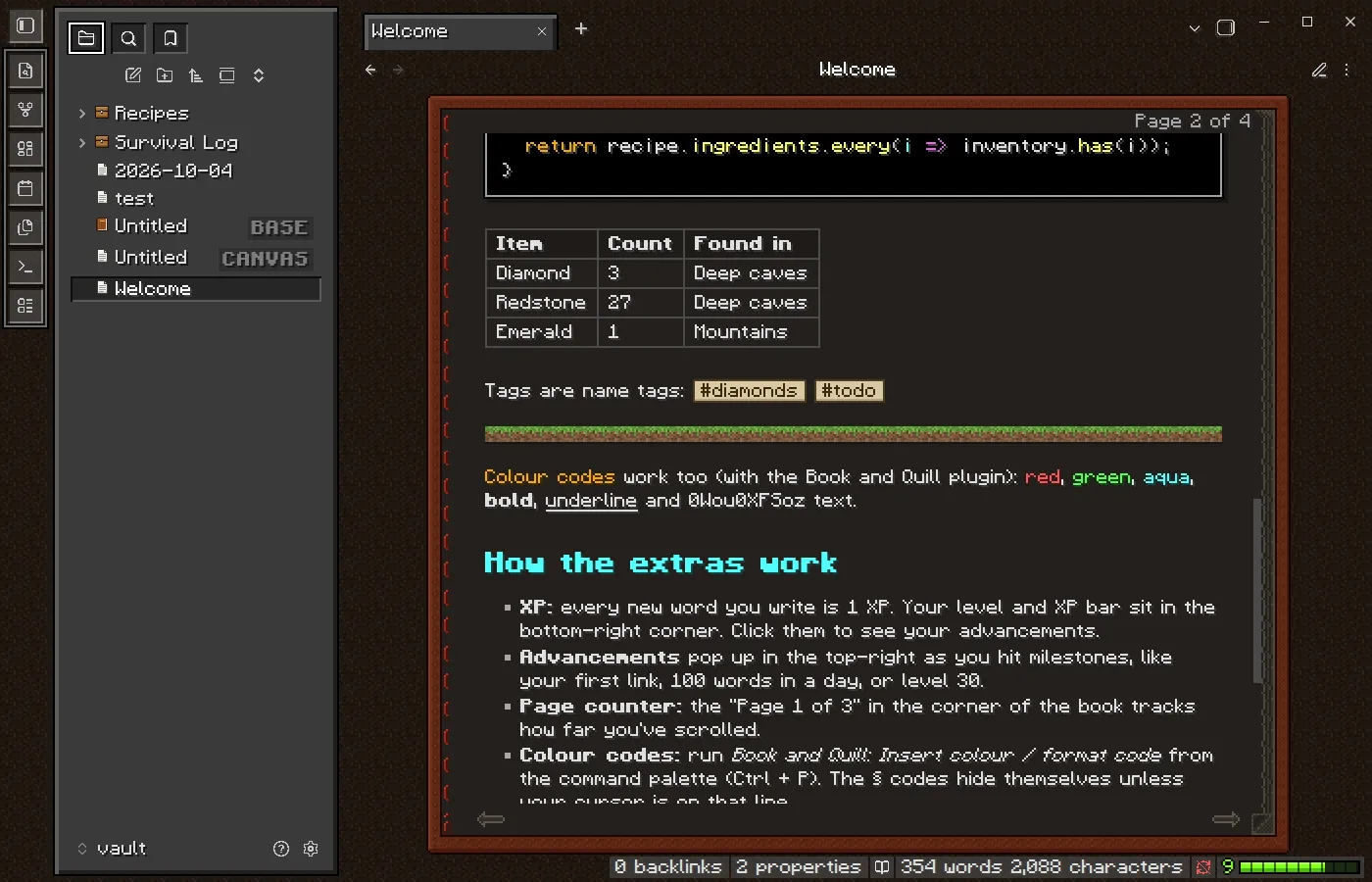
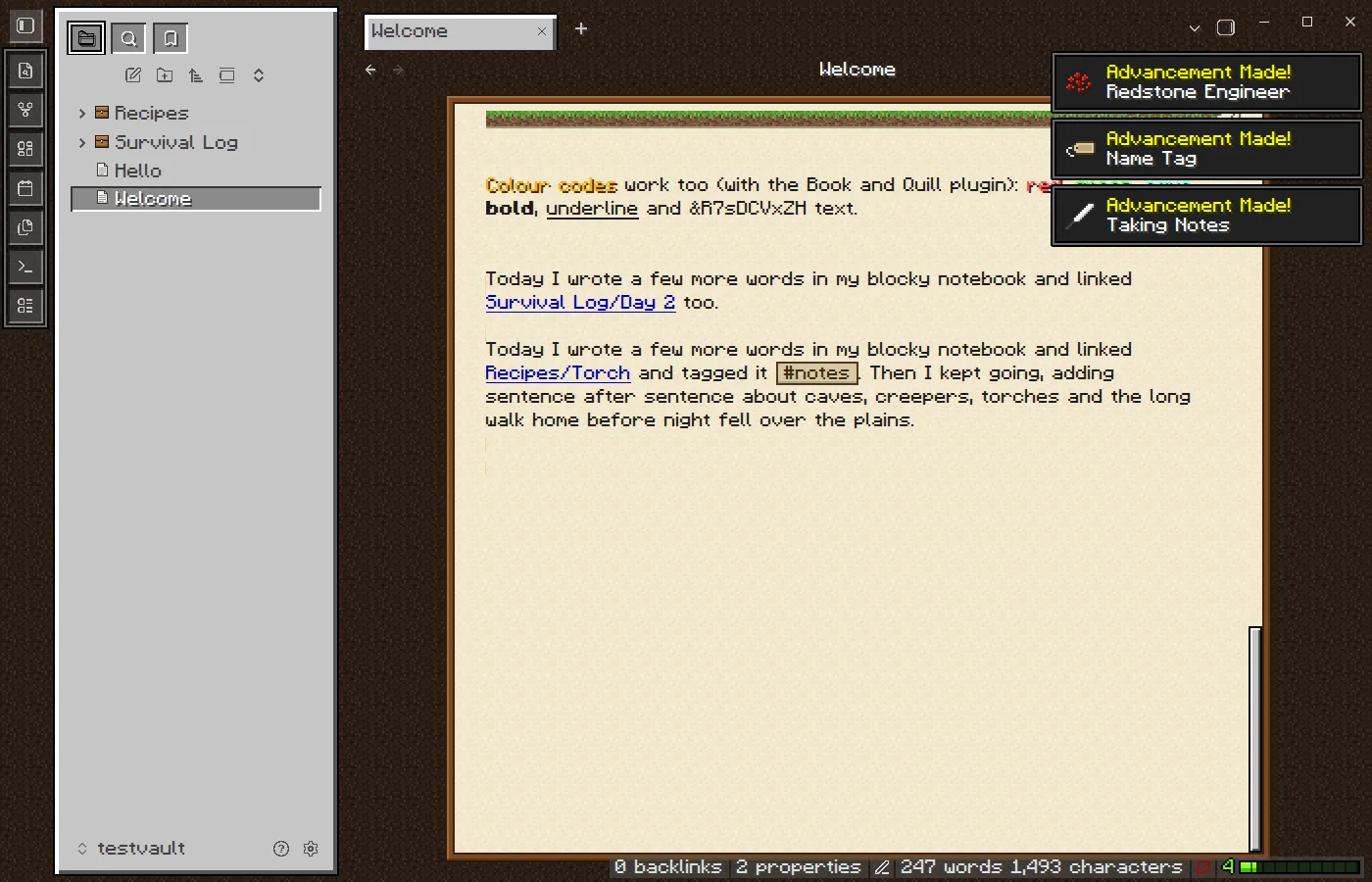
The plugin adds the game. Every new word is 1 XP, measured on the same level curve the game uses, with a level and XP bar in the corner of the screen. There are 14 advancements, and each one slides in with an “Advancement Made!” toast and a little fanfare. My favorites:
- Redstone Engineer: link one note to another
- Dye Another Day: colour some text
- Diamond Prose: write 1,000 words in a day
- Night Owl: write something between midnight and 5am (I’m curious how fast she unlocks this one)
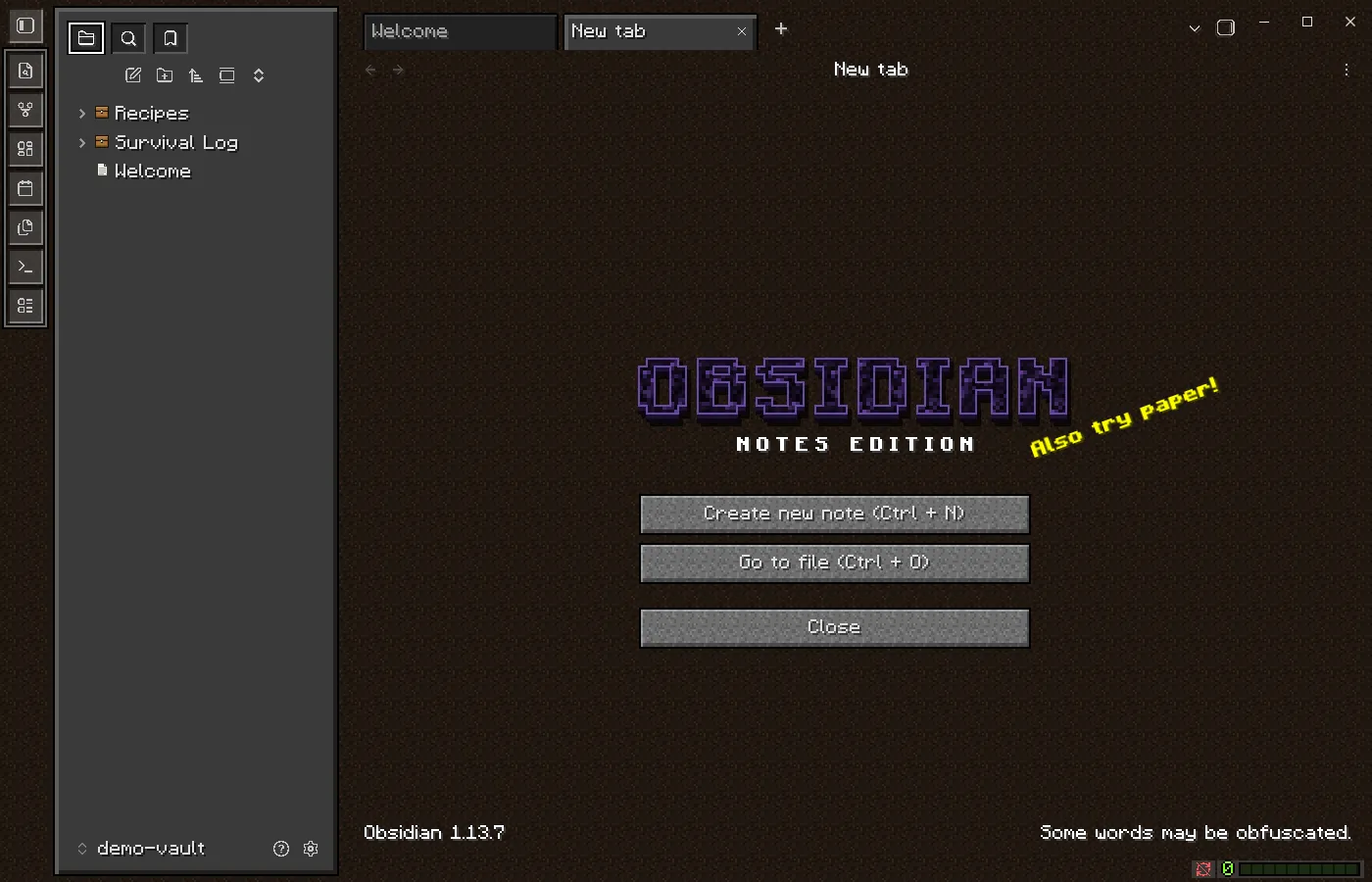
There’s more. A “Page 1 of 3” counter sits in the corner of each note, with arrows that flip a page at a time. You can colour text with the game’s § codes, like §c for red or §l for bold. And a new empty tab becomes a title screen, complete with an OBSIDIAN logo in obsidian-block texture and a random yellow splash like “Also try paper!” The footer in the corner rotates through quips like “No creepers were harmed in the making of this note.” Click it for another.
Making it from scratch
None of the art comes from the game. Every texture, icon, sound, and the font itself is generated by code in the repo. That keeps the project clear of anyone’s copyright, and it turned out to be the coolest part of the build.
The font. Pixel Quill is an original 5×7 pixel font. Each letter is drawn as a little grid of # marks in a text file. A build script traces the outline of every glyph’s pixels and turns them into a real OpenType font. Bold is the same letter with every pixel doubled one step to the right, and italic shifts each row of pixels over a little more the higher it sits. One font pixel is exactly 1/8 of the font size, so the text stays perfectly crisp at 16, 24, or 32 pixels. (It’s the same trick I used for the pixel art on this site: draw it as text, let code do the rest.)
The textures. The dirt background, the wooden planks, and the obsidian logo are generated from seeded random noise, encoded as PNGs by a 50-line encoder, and embedded right into the theme’s stylesheet. The whole theme ships as a single CSS file.
The sounds. Nothing is recorded. Every click, page turn, and chime is synthesized live in the browser. A page turn is a burst of filtered noise that sweeps upward. The XP pickup is a short sine tone at a slightly different pitch each time. The level-up is a quick C-major arpeggio, C, E, G, and the C an octave above.
Shipping it
Both pieces are public on GitHub: the plugin, which also holds all the build tools, and the theme. I’m working on getting both listed in Obsidian’s community directory, so anyone can install them from inside the app.
Version 1.0.1 followed 1.0.0 the same afternoon, after Obsidian’s review flagged a few things. The fonts are now embedded in a more compact format, which nearly halved the theme from 233 KB to 123 KB. I also dropped some CSS that Obsidian’s guidelines discourage, like !important. Releases are now built and published by GitHub Actions, with build attestations so anyone can verify where the files came from.
The review also flagged that the plugin “enumerates” your vault, which sounds scarier than it is. It counts your notes for the Bookshelf and Librarian advancements, and never opens them. The plugin makes no network requests at all; your notes, XP, and advancements stay on your device. That mattered to me. These are my sister’s notes, not data.
Try it
Until the directory listings go live, you can grab both from the GitHub releases, or open the repo’s demo-vault folder as a vault in Obsidian to see everything already set up. One tip: keep Obsidian’s font size at 16 (or 24 or 32), since that’s where the pixel font is sharpest.